![[PukiWiki]](image/logo.png "[PukiWiki]")
Ubuntu12.04にwxPerlの環境をインストールしてみた †Ubuntu12.04にwxPerlの環境をインストールしてみたときの備忘録です。 スポンサーリンク 関連記事 †wxPerlのインストール †以下のコマンドでwxPerl関連のパッケージを検索しインストールしました。
wxPerlでHello world †以下URLのサンプルコードを使用しwxPerlでHello worldを実行しました。 #!/usr/bin/perl
use strict;
use warnings;
use Wx;
package MyApp;
use base 'Wx::App';
sub OnInit {
my( $self ) = @_;
# create a new frame (a frame is a top level window)
my $frame = Wx::Frame->new(
undef, # parent window
-1, # ID -1 means any
'Hello World', # title
[-1, -1], # default position
[250, 150], # size
);
$frame->Show( 1 );
return 1;
}
package main;
my $app = MyApp->new;
$app->MainLoop;
実行結果 $ chmod +x wxHello.pl $ ./wxHello.pl 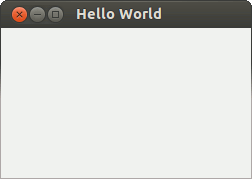 以上、Ubuntu12.04でwxPerlをインストールした時の備忘録です。 スポンサーリンク |


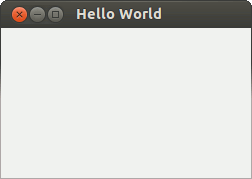 01.gif